
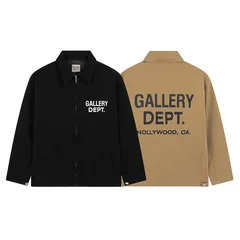
Make Your Next Find with the HipoBuy Spreadsheet
Find something that earns its place in your wardrobe. Browse the HipoBuy spreadsheet categories, compare product pictures and prices, and keep the pieces you can see yourself wearing.
A clear shortlist makes the next steps easier. Save the options you want, compare their measurements, and use the buying and warehouse guides to keep the order on track.
What does HipoBuy do?
HipoBuy is a shopping platform for finding and purchasing products from China. Its app landing page presents product discovery with QC photos. Finding a product is only the beginning: choosing an option, reviewing an order and arranging delivery involve different information.
This site provides guides for those decisions. Our product links take you to HipoBuy; the explanations stay here. A product page helps you examine a candidate, while payment and order arrangements take place through the shopping service you choose.
Why keep a spreadsheet beside the shopping page?
A saved picture often loses the information behind the choice. You may remember liking a jacket but forget which size chart you checked or which version its photos showed. A useful list keeps that context beside the product link.
It also makes comparisons fairer. You can compare the same option and cost components instead of choosing between one item's saved price and another item's current total. Keep a short active list for the purchase you are planning; save unrelated ideas separately.
A five-step shopping routine
- Describe the item you need. Include its use and an important feature, such as a zip jacket for layering or a small bag for everyday essentials.
- Open the actual product. Check that its design and available options match the result you selected. Record colour, size and version with the link.
- Resolve the main product question. Compare measurements, included components or the relevant visible details before allowing price to decide everything.
- Review the costs and order information. Check the current amount, currency and applicable terms. Treat any shipping estimate separately from the product price.
- Check the item and plan the parcel. Use available, correctly matched QC photos to resolve visible concerns. Compare delivery options with the actual destination and packing inputs.
The HipoBuy spreadsheet guide expands this sequence. If you already have an item in mind, go straight to the part that answers your next question.
Compare the detail that matters for the product
For clothing, start with a similar garment that fits you. Check whether the listing measures flat width or circumference and keep the units consistent. As a measurement example, a flat width of 54 cm and one of 56 cm differ by 2 cm; they do not describe the same fit simply because both items are labelled medium. Those figures are illustrative, not measurements of the linked products.
For a bag, think about the objects it must carry. Outside dimensions, the opening and the strap can each affect whether it suits your use. You can open this floral crossbody bag and look for the information relevant to your needs. The photograph alone cannot establish internal capacity.
For jerseys, keep the design and selected version together with the size. For trousers and shorts, compare the waist measuring method, rise and length. Use the size guide when two charts appear to measure different things.
What if you are looking for Essentials clothing?
Keep the requested label and the actual item separate in your notes. Compare the current title, design, selected version and measurements rather than treating an Essentials-related search result as proof of brand identity or availability. If a particular logo or placement matters, look for a relevant, correctly matched view; a photograph alone cannot authenticate the garment.
What should a useful saved entry contain?
- The current product URL and a name you will recognise.
- Your intended colour, size, version and quantity.
- Relevant measurements and the method used to take them.
- The displayed product amount, currency and date checked.
- A matching photo reference, where available, and any unresolved question.
Keep passwords, delivery addresses and complete order screens out of a shared product list. The link guide explains how to handle a destination that changes or no longer opens.
Questions before you begin
Does a new year in the title mean the links are fresh?
No. Open the entry you intend to use and inspect its current destination. A year label does not tell you when every item was checked.
Can an image search confirm the exact item?
It can help you discover candidates. Check the result's identity, option and measurements rather than assuming that a similar picture means the same seller or product.
Do I need to decide on the whole order at once?
No. Establish a workable comparison for one item, then apply it to the others. Resolve important product questions before committing to a combined parcel.
Judge information by the decision it supports
| Your decision | Information the list should help you reach |
|---|---|
| Is this the intended item? | A destination that matches the saved description |
| Which option should I compare? | Distinguishable colours, sizes and versions |
| Will the shape suit me? | Relevant measurements and their measuring method |
| What does the price cover? | Currency, selected option and separately charged items |
| Is a photo relevant? | A connection between the image and the product or variant |
Not every detail needs to sit inside the spreadsheet itself. A concise entry can be useful if it leads you to a clear current listing. Conversely, a detailed row is a poor reference if its destination has changed. Use the link checks when the row and product page disagree.
Keep only meaningful alternatives
Keep candidates that offer a meaningful alternative: a different fit, suitable size, useful feature or cost. Group duplicate links instead of counting them as extra choice. Do not merge two different listings simply because their promotional photos look similar.
Once a candidate meets your needs, move to the shopping guide. If the remaining issue is visible condition or a measurement photo, use QC checks. If it is the delivered cost, use shipping estimates. More browsing does not answer a question that requires specific item information.
The spreadsheet review guide provides a way to record what worked and what did not. Review the part you actually used, with its context, rather than treating a successful search as approval of every product in the list.